
SOAPNoteAI already had thousands of users on the web when the founder reached out. He wasn't looking for a consultant. He needed someone to own iOS end-to-end — consume the existing backend, preserve every user account, and ship a native app that felt like it was built for the phone, not ported from a browser.
We took the engagement. What follows is the honest version: what we estimated, what actually happened, and the three things that will surprise you if you're planning a similar build.
What “Take It Native” Actually Means
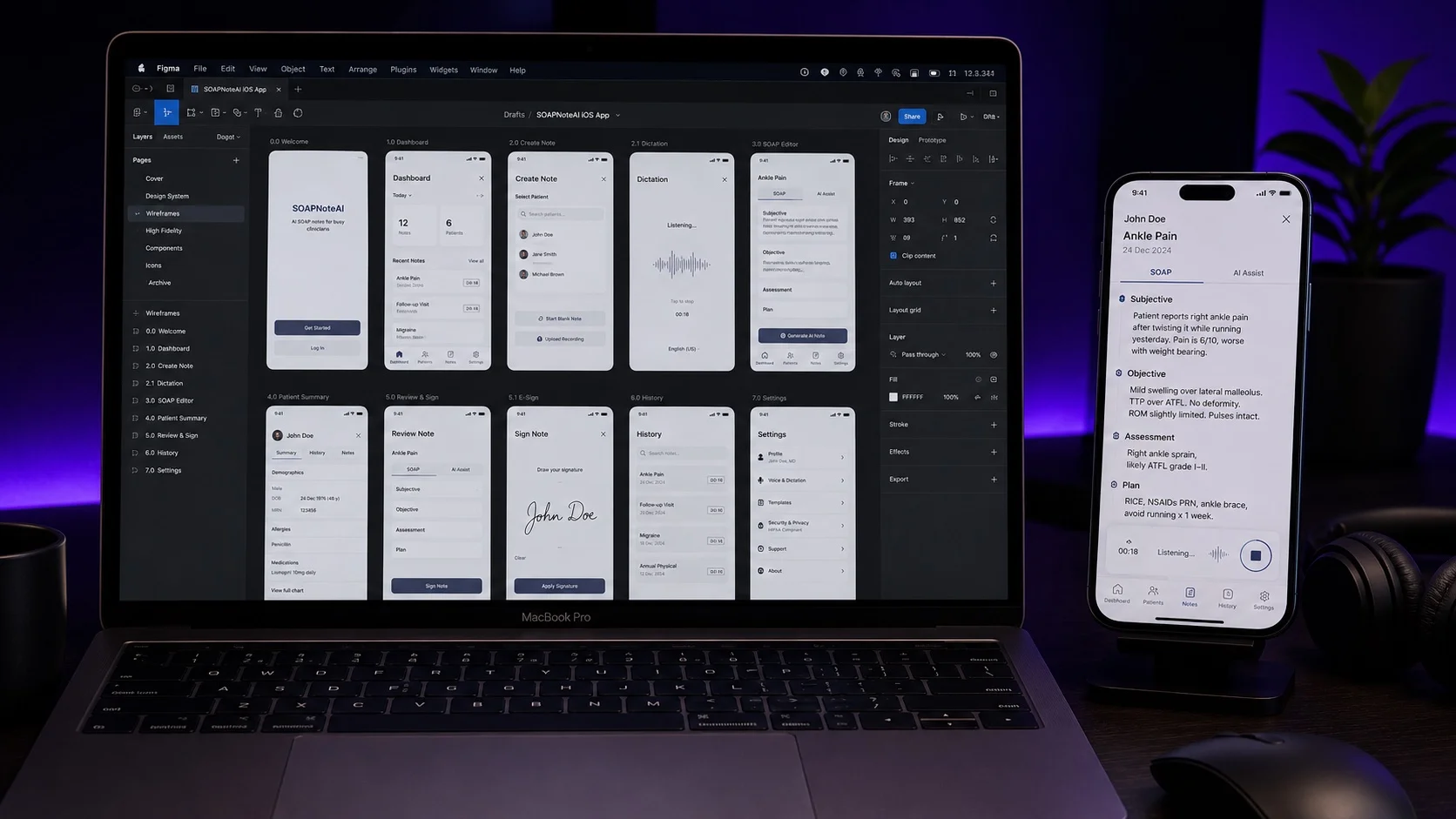
The ask sounds simple until you map what it actually requires. SOAPNoteAI was a full SaaS product — user accounts, subscription tiers, AI-generated clinical notes, months of session history. “Make it native” meant: consume all existing APIs, keep every user's account and subscription intact, and make it feel like a native iOS app rather than a mobile website.
Before writing a line of code we scoped three workstreams in priority order:
- API integration — map existing endpoints to mobile data flows, identify any gaps that needed new mobile-specific endpoints
- Authentication — the web app used OIDC (OpenID Connect). Every existing user had an account here. iOS had to log them in without a parallel account system or broken session state
- Core product UX — recording, transcription, note review and editing, session history — the reason practitioners used the product at all
What Was Fast (and Why That's Actually a Signal)
The API integration took one week. We estimated two. The existing backend was well-documented, response shapes were consistent, and it was built with clear separation from browser-specific session logic. We had core data flowing on day three.
Your existing API quality is the biggest hidden variable in any native mobile build — and almost no founder mentions it in the brief.
A clean API compresses the mobile timeline. A messy one — endpoints that rely on cookies, return HTML fragments, or assume browser session state — can add weeks before you've written a single UI component. When evaluating agencies for a native build, ask them to review your API first. Their reaction tells you more than any estimate.
What Took the Longest
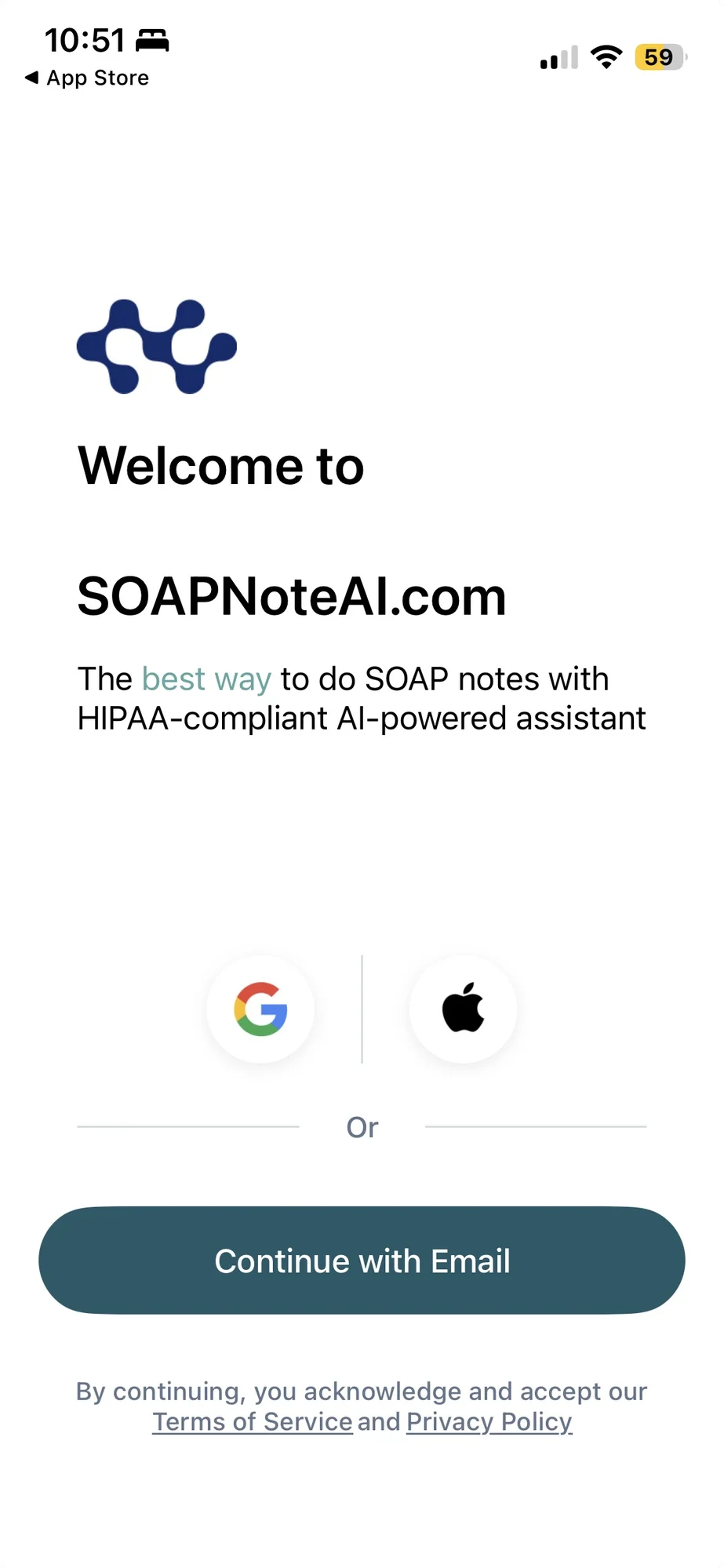
Authentication. We estimated three days. It took significantly longer.
The web app used OIDC Authorization Code flow — correct, modern, well-specified. On the web, that means a redirect and a cookie. On native iOS, the same protocol requires rebuilding every assumption from scratch. Most of the extra time wasn't implementation — it was debugging silent failures that only appeared in conditions outside local development.
A redirect URI mismatch doesn't throw an error. The callback just never arrives. The session hangs. There is no log entry telling you why.
The failures that caused the most iterations were all silent. Missing the offline_access scope doesn't fail at login — it fails an hour into a live session when the access token expires and there's no refresh token to recover with. prefersEphemeralWebBrowserSession set wrong means users on shared clinical devices can tap through without entering credentials. None of these appear in a local test environment with a long-lived staging token.
Web Assumptions That Don't Survive Contact with Native iOS
| What web developers assume | What actually happens on native iOS |
|---|---|
| “Login just redirects to /auth” | Custom URL scheme must be registered exactly in Info.plist AND the OIDC provider — one slash difference = silent failure |
| “Token refresh is automatic” | No browser session to piggyback on. You must implement the refresh_token grant yourself, or users log out after 1 hour |
| “Auth takes a couple of days” | Most silent failure modes only appear in production-like conditions — budget 2–6 weeks for a correct, tested native OIDC flow |
| “Push notifications can include session info” | APNs has no HIPAA BAA — any PHI in the notification payload is a compliance violation, regardless of how helpful it looks to the user |
| “Our analytics SDK works as-is” | If the SDK touches session metadata, it may process PHI without a BAA. Audit every third-party SDK before integrating |
What We Actually Shipped
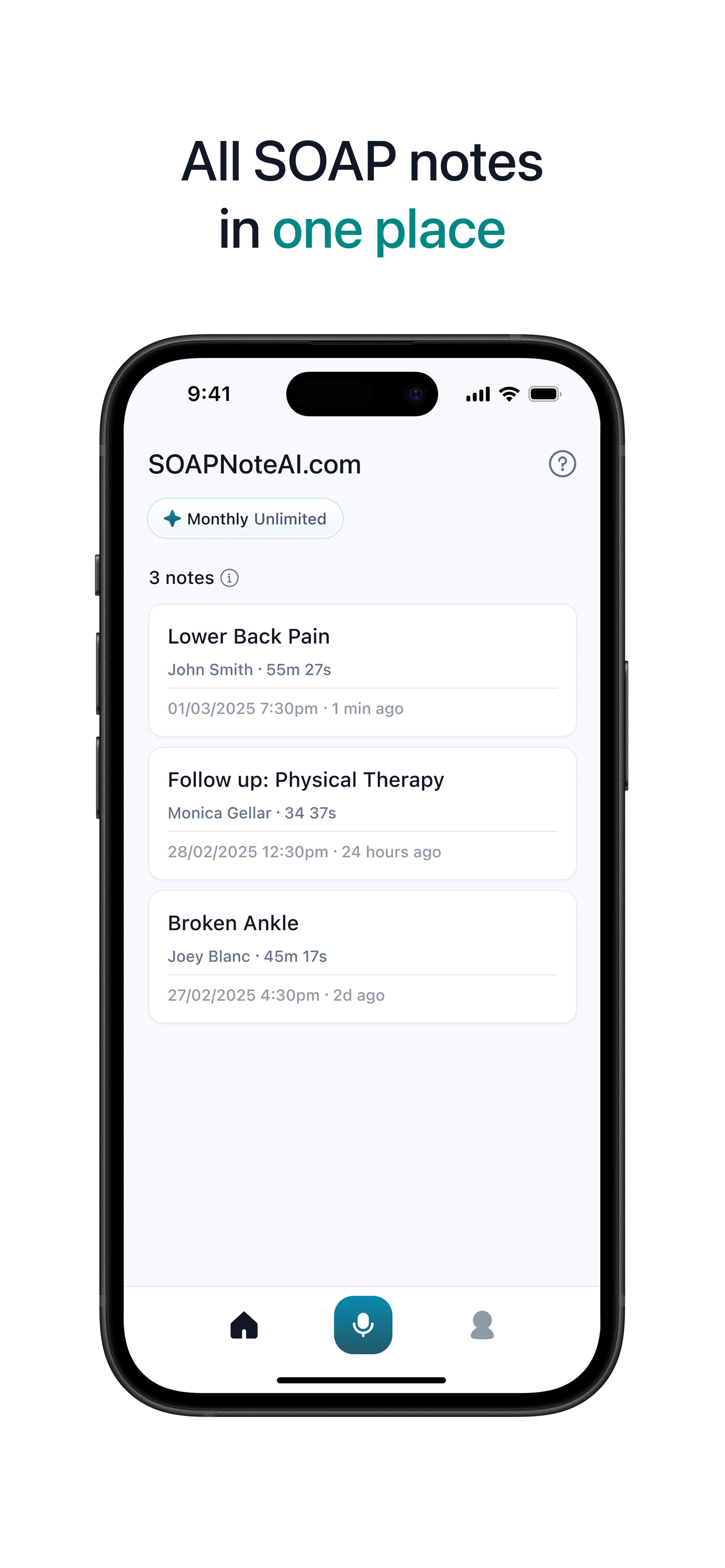
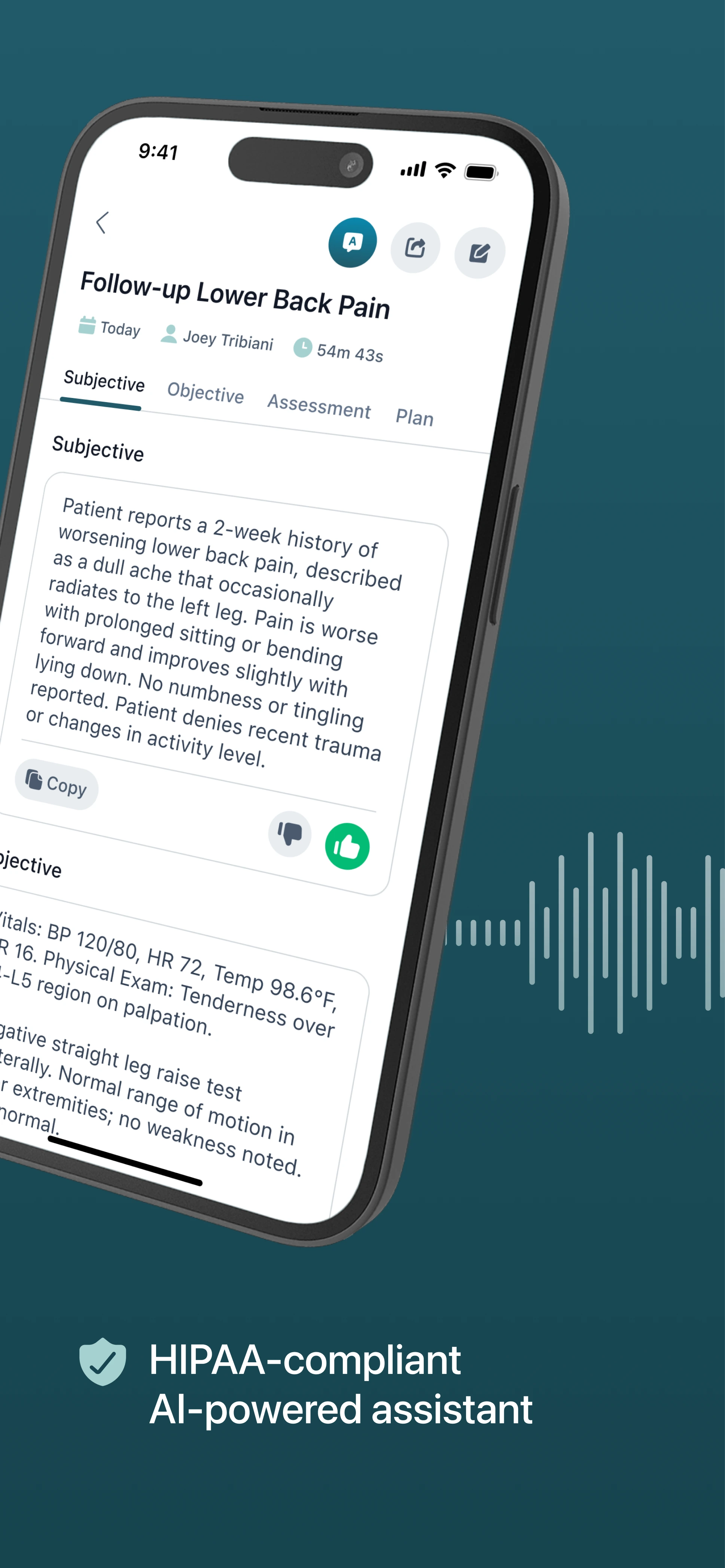
The iOS app launched with the complete clinical documentation workflow. Here it is running natively on device:
Here's the estimate vs reality across every workstream:
| Workstream | Estimated | Actual | What changed the number |
|---|---|---|---|
| API integration | 2 weeks | 1 week | Backend was cleaner than expected — no browser-coupled endpoints |
| OIDC auth flow | 3 days | Multiple iterations | Three independent silent failure modes, each requiring production-like conditions to surface |
| Session recording UX | 3 weeks | 3 weeks | Background audio support added scope; clean API offset it |
| Note review + editing | 1 week | 1.5 weeks | Inline editing on mobile requires a different interaction model than web |
| Subscription gating | 3 days | 3 days | Web account state synced cleanly — no re-implementation needed |
The App Store submission cleared first review. SOAPNoteAI now runs on both web and iOS with the same account and the same note history across both surfaces.
The login flow that shipped looks effortless: tap Sign In, authenticate once, you're in — existing account, existing history, everything intact. That effortlessness was the hardest thing we built.
4 Things to Know Before You Scope a Similar Build
- Audit your API before you scope, not after. Ask your backend engineer to list every endpoint that relies on cookies, browser session state, or returns non-JSON responses. Those are your mobile risk items. A good agency will ask for this list in week one. If they don't ask, that's a signal.
- Treat auth as a standalone project with its own line in the estimate. If your web app uses OIDC, OAuth, or any SSO, budget it separately — not folded into “general setup.” Silent failures in auth don't appear in demos. They appear when real users are in real sessions and something quietly expires.
- “Make it like the web version” is not a product brief. Native apps need native decisions: what lives in the tab bar, what requires Face ID, what happens when the app is backgrounded mid-recording. The agencies that skip these questions ship apps that technically pass QA and feel wrong to use.
- In a regulated space, compliance is a QA phase, not a final check. Push notification payloads, analytics events, log lines, third-party SDKs — none of these fail functional tests. All of them can fail a HIPAA review. Build the compliance pass into the schedule before App Store submission, not after.
Is Going Native Worth It?
The honest answer: it costs more and takes longer than founders usually budget for, because it's not a port — it's a rebuild for a platform with fundamentally different constraints.
What you get on the other side is engagement you can't get from a mobile browser. Practitioners using SOAPNoteAI on iOS document sessions between appointments, in transit, immediately after a visit. That behavior doesn't happen on web. Native access changes how people use a product, not just where.
For the visual walkthrough — screens, timeline, and the engineering challenges we solved along the way — see the full SOAP Note AI case study.
If you're still weighing whether to go native at all, our native vs hybrid decision framework walks through how we'd scope it — and what a build like this actually costs breaks down where the budget goes.
Whether that's the right move for your product is a 30-minute conversation, not a guess. We'd rather have it before you write the scope than after you get a surprise mid-project.
FAQ
How long does it take to turn a web app into a native iOS app?
It depends on backend quality, but expect more than a straight port. With a clean, well-documented API, core data flows can be wired in a week, while authentication, native UX, and App Store readiness add weeks. The rebuild, not the screens, drives the timeline.
Why does authentication take so long in a native iOS build?
Web auth relies on redirects and cookies. Native iOS rebuilds those assumptions from scratch, and most failures are silent: a redirect URI mismatch or a missing offline_access scope only surfaces in production-like conditions, not local testing. Budget OIDC as its own scoped workstream.
Is my existing API ready for a mobile app?
Have your backend engineer list every endpoint that relies on cookies, browser session state, or returns non-JSON. Those are your mobile risk items. A clean API compresses the timeline; a browser-coupled one can add weeks before a single screen is built.
Do I need to worry about HIPAA when building a HealthTech iOS app?
Yes, and the risk usually hides outside the core data layer. Push notification payloads, analytics SDKs, and log lines can process PHI without a BAA and fail a HIPAA review while passing every functional test. Build a compliance pass into the schedule before App Store submission.
Taking a web product native on iOS? Book a free 30-min scoping call →