

A founder building an iOS app asks: “We only want Google login. Do we really have to add Sign in with Apple?” The answer is narrower than the rumour. Apple does not require Sign in with Apple in every app. It requires an equivalent privacy-focused login option when your app uses a third-party login, such as Google or Facebook, to set up the user's primary account.
If you use your own email and password system only, the rule does not apply. If you add Google or Facebook, it does, and the cheapest way to meet it is Sign in with Apple. Below are the questions founders ask us in scoping, answered in order.
What does Apple's rule actually say?
The rule is Guideline 4.8, Login Services. It covers apps that use a third-party or social login service to set up or authenticate the user's primary account. Apple lists examples including Facebook Login, Google Sign-In and Login with Amazon. Those apps must also offer, as an equivalent option, another login service with three features.

Apple's own announcement of the rule describes Sign in with Apple as a service that meets all three. The guideline itself does not name it as the only option, but building a different service that passes all three is a project of its own, and a startup rarely has a reason to take it on.
When is another login option not required?
Apple lists the exceptions itself. The common one for startups is an app that exclusively uses its company's own account setup and sign-in systems. The others are narrower: enterprise or education apps that require an existing organisational account, apps using a government or industry-backed ID, and clients for a specific third-party service.
| Your login setup | Another login option required? | Why |
|---|---|---|
| Email and password only, your own system | No | Exempt: only your own sign-in is used |
| Google or Facebook login only | Yes | Third-party login for the primary account |
| Google login plus your own email login | Yes | A third-party option still sets up the account |
| Staff sign in with existing company accounts | No | Enterprise or business app exception |
| Client for one third-party service | No | Users sign in to that service directly |
The third row is where founders get caught. Keeping your own email login does not cancel the rule once a third-party button sits next to it. Read the exception text before you assume you qualify, because reviewers read it strictly.
Do you need a login at all?
Sometimes the cheapest fix is no login. Apple's Guideline 5.1.1(v) says that if your app does not include significant account-based features, you should let people use it without logging in. An app that gates a calculator behind a Google button invites two problems at once: a login rule and a data-collection question.
If you do create accounts, you also owe an in-app way to delete them. We cover that separately in why a Deactivate button will not pass review. The two rules usually surface in the same review, so scope them together.
Every login button you add is a rule you agree to follow and a flow you agree to maintain.
What should you build, in what order?

The point of the order is cost. Each sign-in method is a provider account to configure, a callback to register and a failure mode to test on a real device, and each one has to keep working after launch. Fewer methods means a smaller review surface and a cheaper quote.
Our default for a version-one consumer app, in order:
- Start with email and one private option. Your own email login, plus Sign in with Apple, covers most buyers without a third-party social button at all.
- Add Google only when your users already live there. If you do, Sign in with Apple must sit next to it, not behind a menu.
- Decide what “private email” means for your product. Users can hide their address, so the email you store may be a relay address, not their real one.
- Plan token cleanup for account deletion. If people sign in with Apple, deleting your database row is not enough.
What does this look like on a real build?
On SOAPNoteAI, the iOS app shipped with Google, Apple and email sign-in, and the login screen looks simple. As we wrote in that case study, the simple screen sat on an OIDC flow that took many iterations to get right end to end. The buttons were the cheap part. The identity plumbing behind them was not.
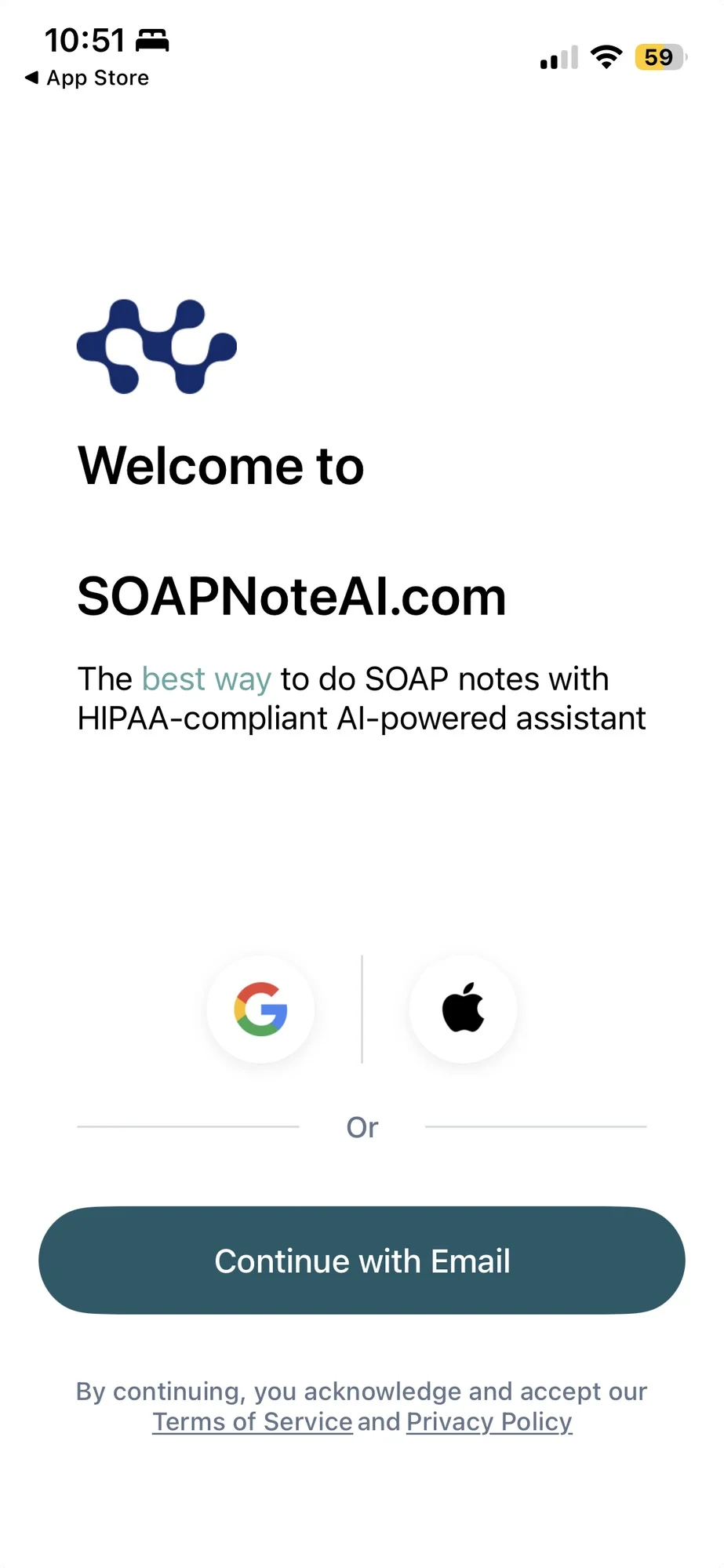
That is the pattern worth pricing. Each added sign-in method is another provider to configure, another failure mode to test on a device, and another path to clean up when a user leaves. Ask any agency quote which sign-in methods it includes, and whether account deletion is in the same line.
When is it wrong to follow the default?
When your buyers sign in with an organisation's account. A B2B tool for a company that uses its own identity provider falls under the enterprise exception, and adding a consumer login would add scope with no benefit. The honest trade-off of our default is that a plain email-plus-Apple screen asks some users to create a new account when they would have preferred their Google one. We accept that loss in version one, because every extra provider has to be built, tested and kept working. Our guide to what version one should include makes the same argument about every feature that is cheap to add and expensive to maintain.
Apple can change the guideline text, and reviewers can read the exceptions narrowly. Check the live guideline before you submit, and keep a sentence ready for App Review explaining which login option meets the three features.
FAQ
Is Sign in with Apple required for my iOS app?
Not always. Apple requires an equivalent privacy-focused login only if your app uses a third-party or social login, such as Google or Facebook, to set up the primary account. An app that uses only its own email and password sign-in is exempt, so Sign in with Apple is optional.
Can I offer Google login without Sign in with Apple?
Only if you offer another login that meets Apple's three features: name and email only, a private email option, and no advertising collection without consent. Apple says Sign in with Apple meets them. Building a different compliant service is possible but harder to justify for a startup.
Does email and password login count as the equivalent option?
Not once a third-party button sits beside it. Your own email login is exempt only when it is the only sign-in system. If you add Google or Facebook, you still need an option meeting Apple's three features, so most teams add Sign in with Apple alongside their email login.
What happens if my app is rejected under Guideline 4.8?
App Review asks you to offer an equivalent login option that meets all three requirements. If you already have a qualifying option, you can reply in App Store Connect and explain which one meets them. Otherwise you add Sign in with Apple and resubmit the build for review.
Unsure which sign-in methods your app really needs? Send us your login plan on a free 30-min call and we'll flag the review risks →


